Vibe OS Coming soon
Coming soon $200, paid once. See pricing

A desk for your coding agents.

Vibe OS runs Claude Code, Codex and your shell side by side on your Mac. Each agent gets its own channel with a live meter, so you can tell at a glance who's working, who's done and who's waiting on you.

  • Price $200 once
  • Needs Apple silicon
  • Works with Claude Code, Codex
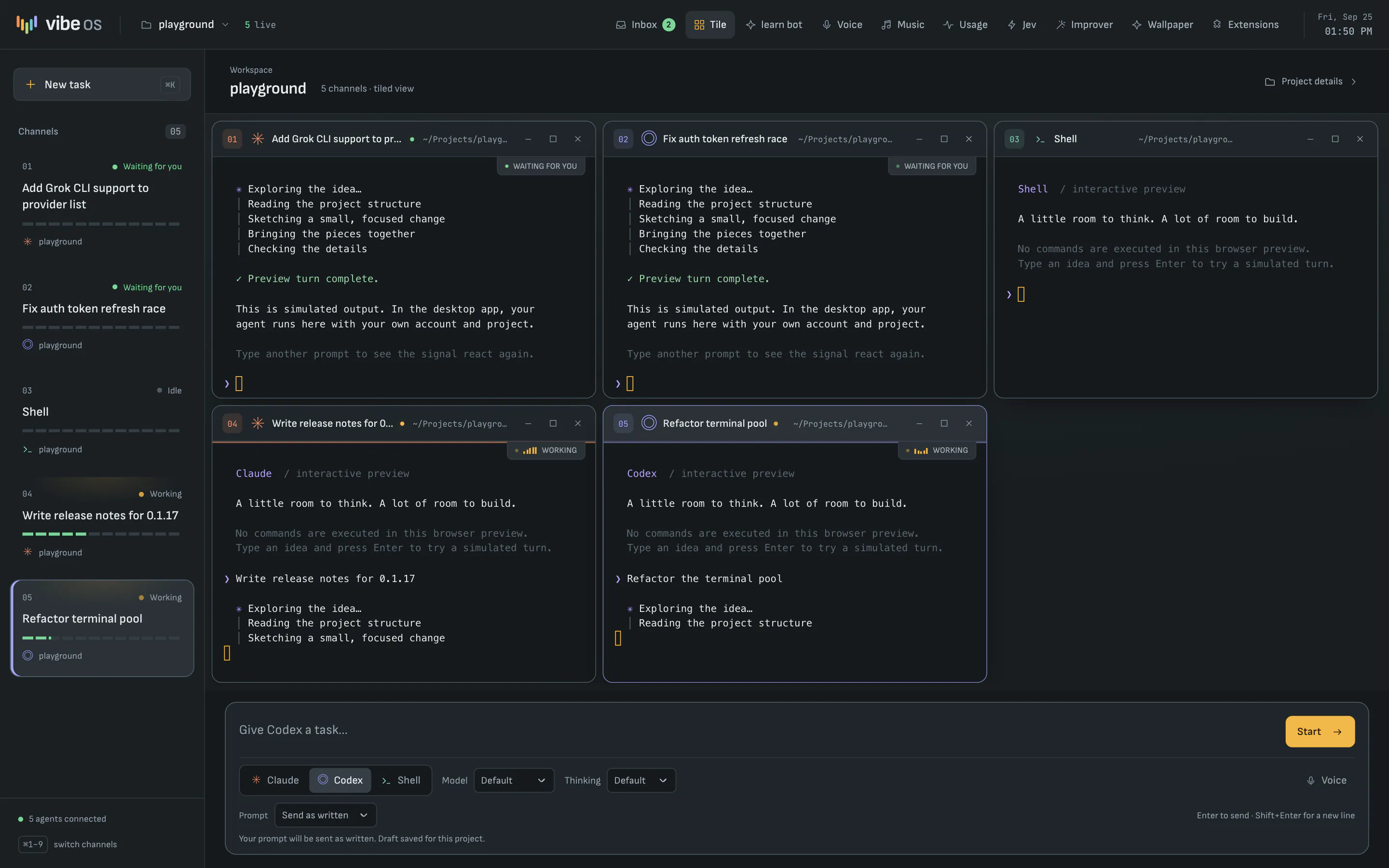
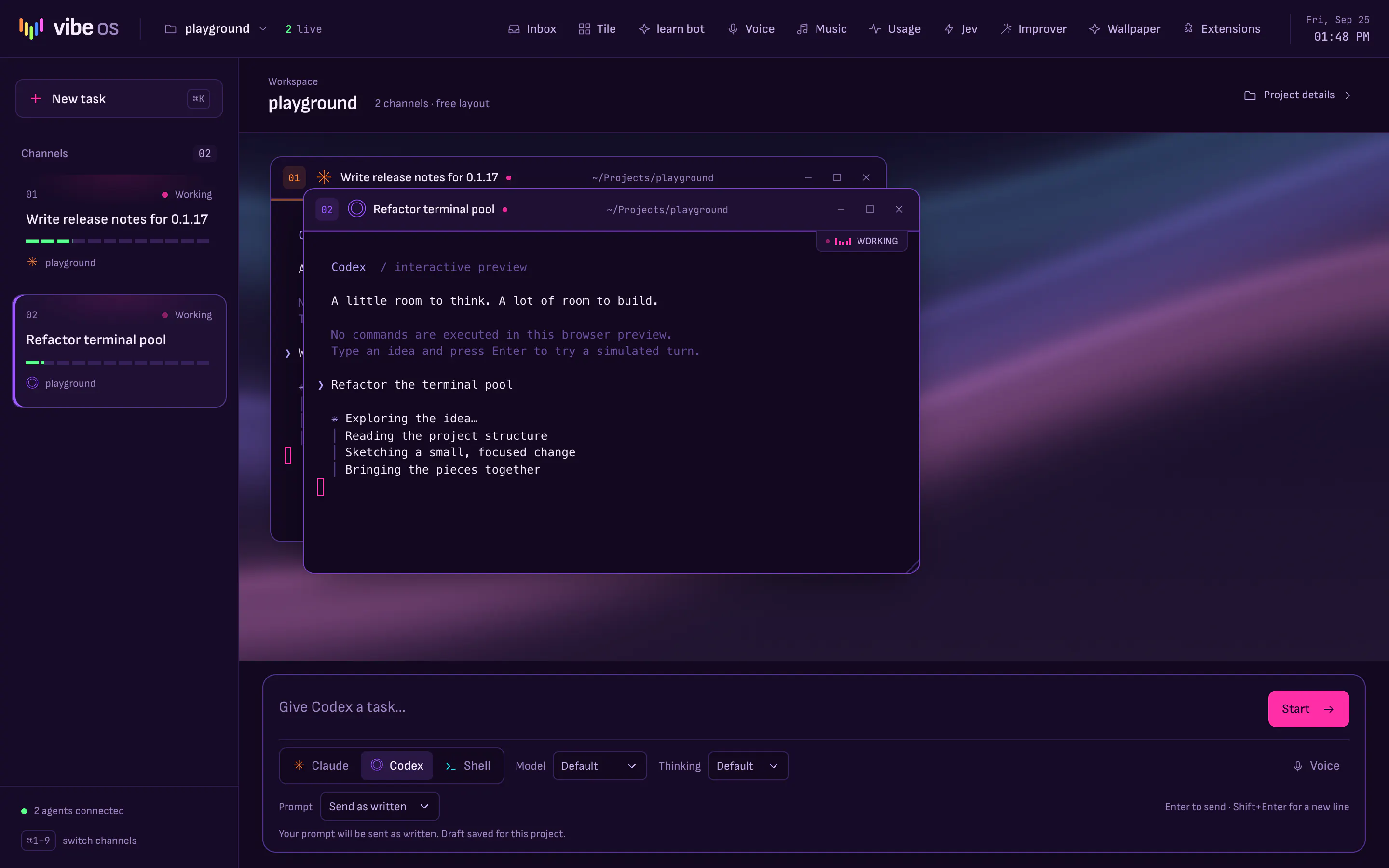
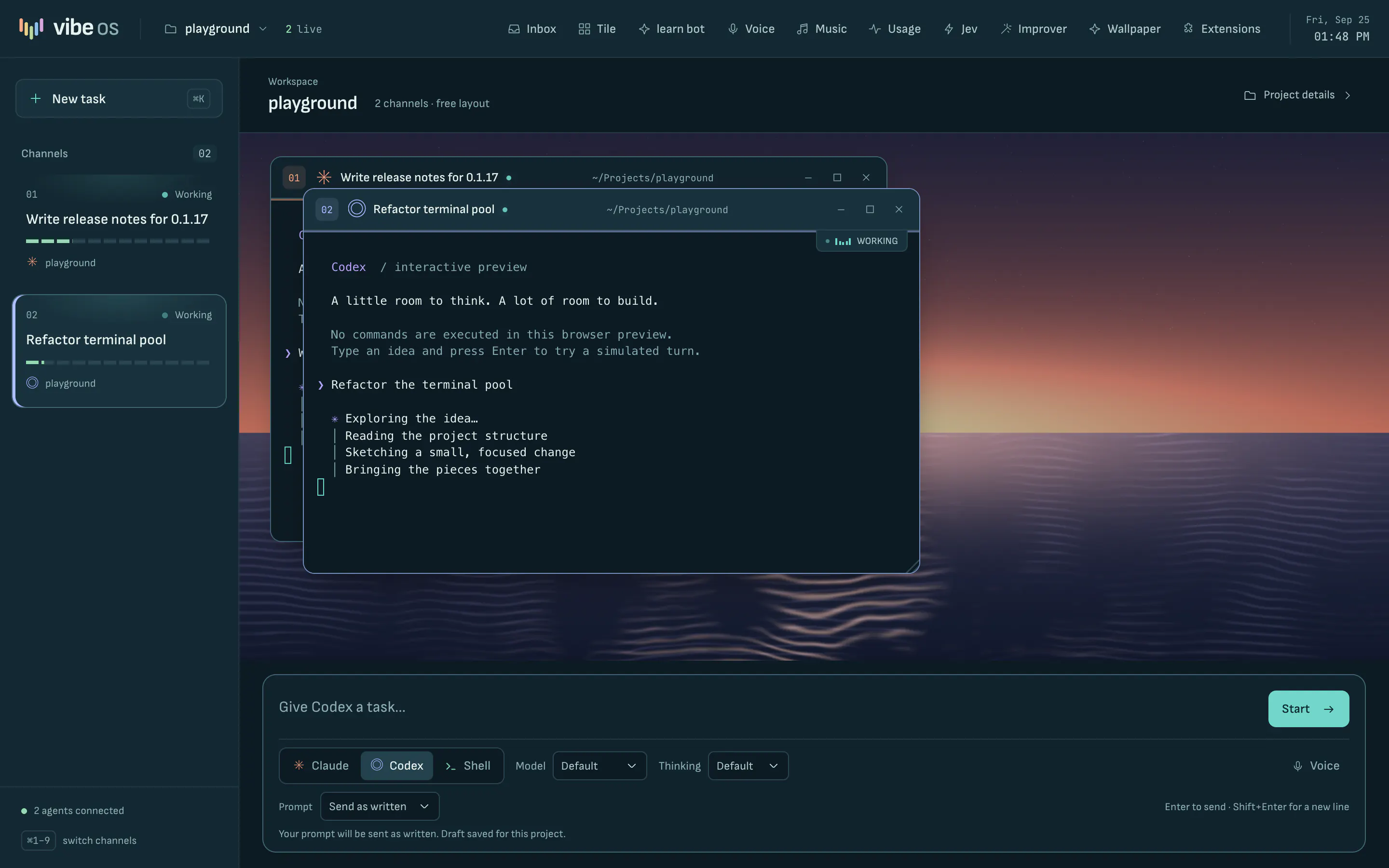
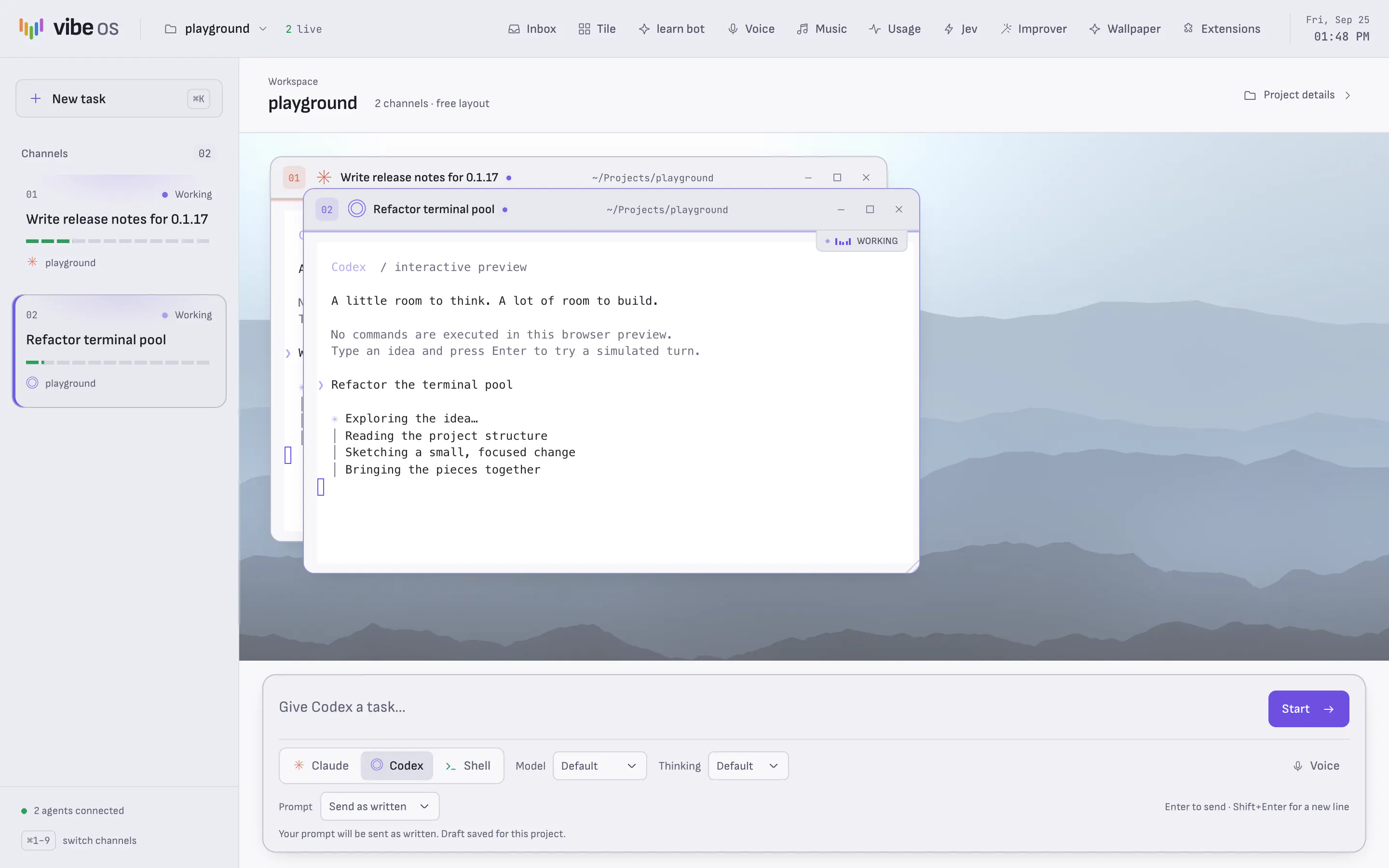
Vibe OS with five channels tiled on the desk: two agents waiting for you, two working, and a shell. The channel rail on the left shows each task with its status and activity meter, and the chat bar sits along the bottom.
Five channels on one desk. Two agents are done and waiting for you, two are still working, and a shell is open beside them.

Features

What you get

The agents are real terminals running the CLIs you already use, on the Claude Pro/Max or ChatGPT Plus/Pro plan you already have. They launch through your login shell, so your PATH and sign-in work as usual.

Channels
Every agent is a strip in the rail, named after its task, with a status lamp and a meter driven by its terminal's real output. ⌘1 to ⌘9 jump between them, and ⌘J opens the agents waiting on you. When the window is in the background, a notification and dock badge tell you who finished.
Clearer prompts
Type a rough draft in the chat bar. The agent you picked rewrites it into a clear prompt in a separate background run, then opens its terminal with the result. You can send your own words as written instead, or preview and edit the rewrite first.
Shared memory
Agents on a project know about each other. They share a live roster, a notes file for findings and handoffs, and a project memory stored in a local SQLite database, so a new session starts from what the last one learned.
Worktrees
Turn on isolation for a git project and each new agent gets its own branch and worktree, so agents working in parallel never edit the same files. The Changes panel lets you review a branch, then commit, merge, open a pull request or discard it.
Usage
See how much of your Claude and Codex allowances you've used, and when they reset. Readings that are out of date are marked stale.
Session restore
Quit and reopen, and your project, windows and layout come back. Conversations resume through the CLI, with each window's scrollback shown above.
Themes
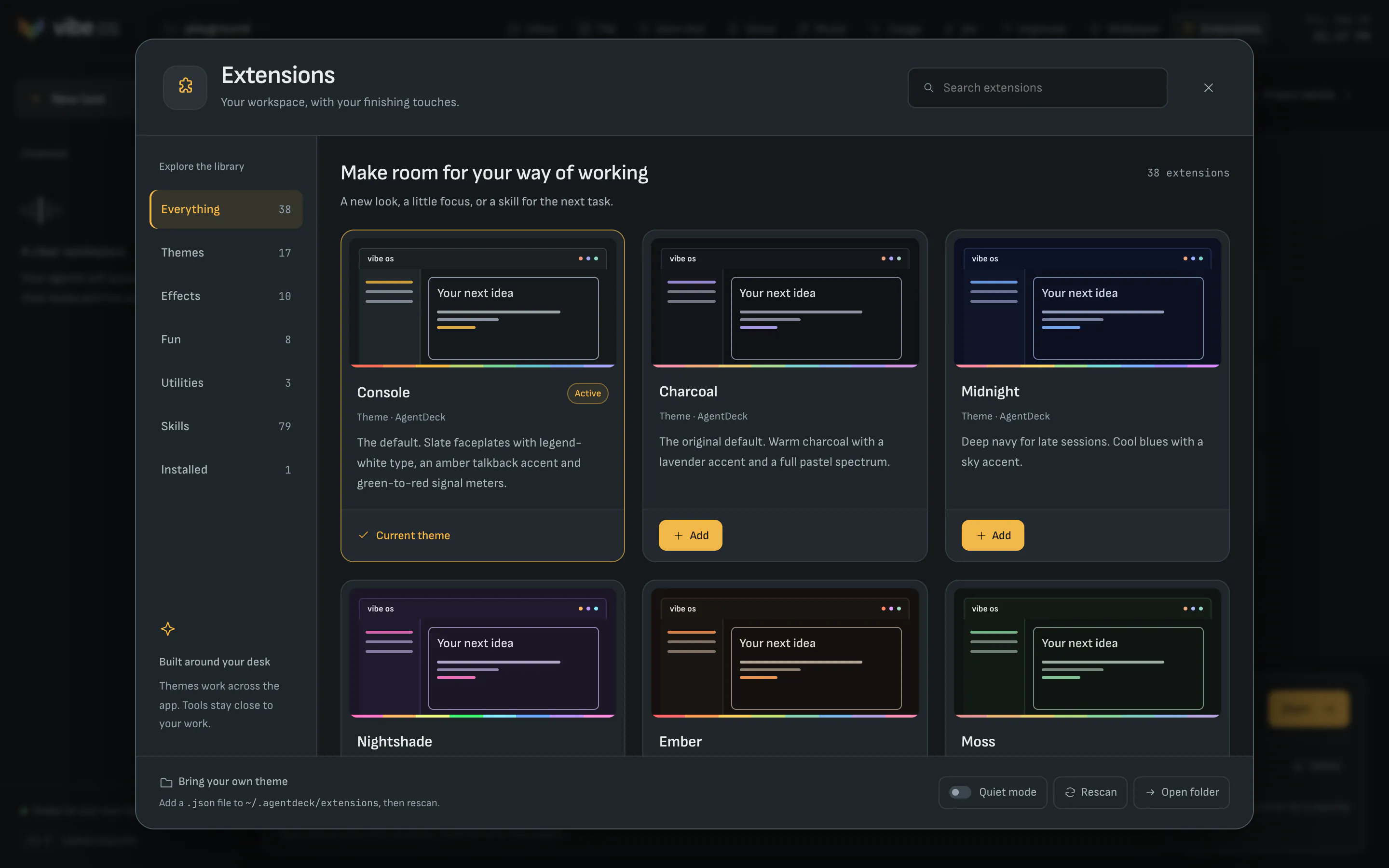
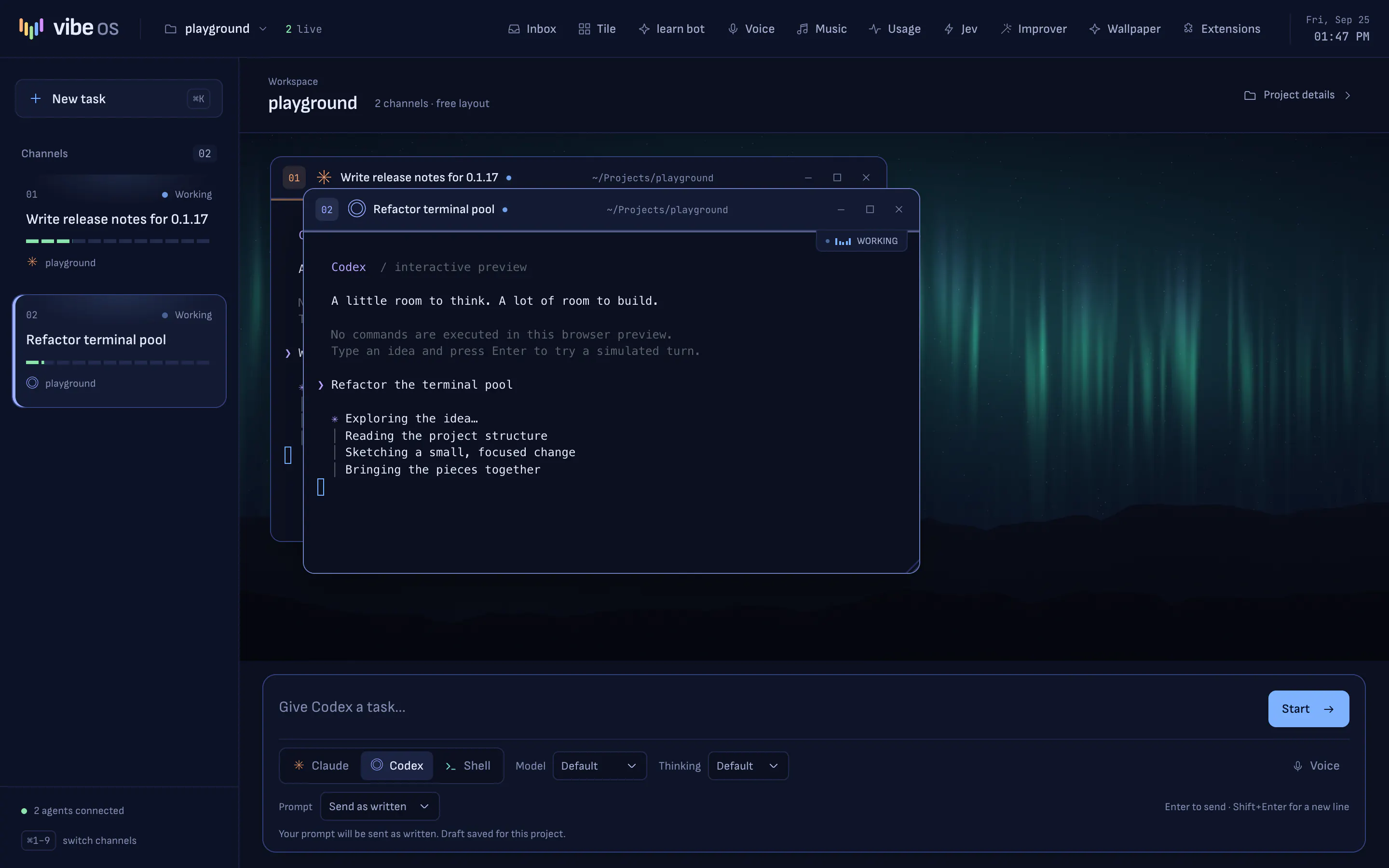
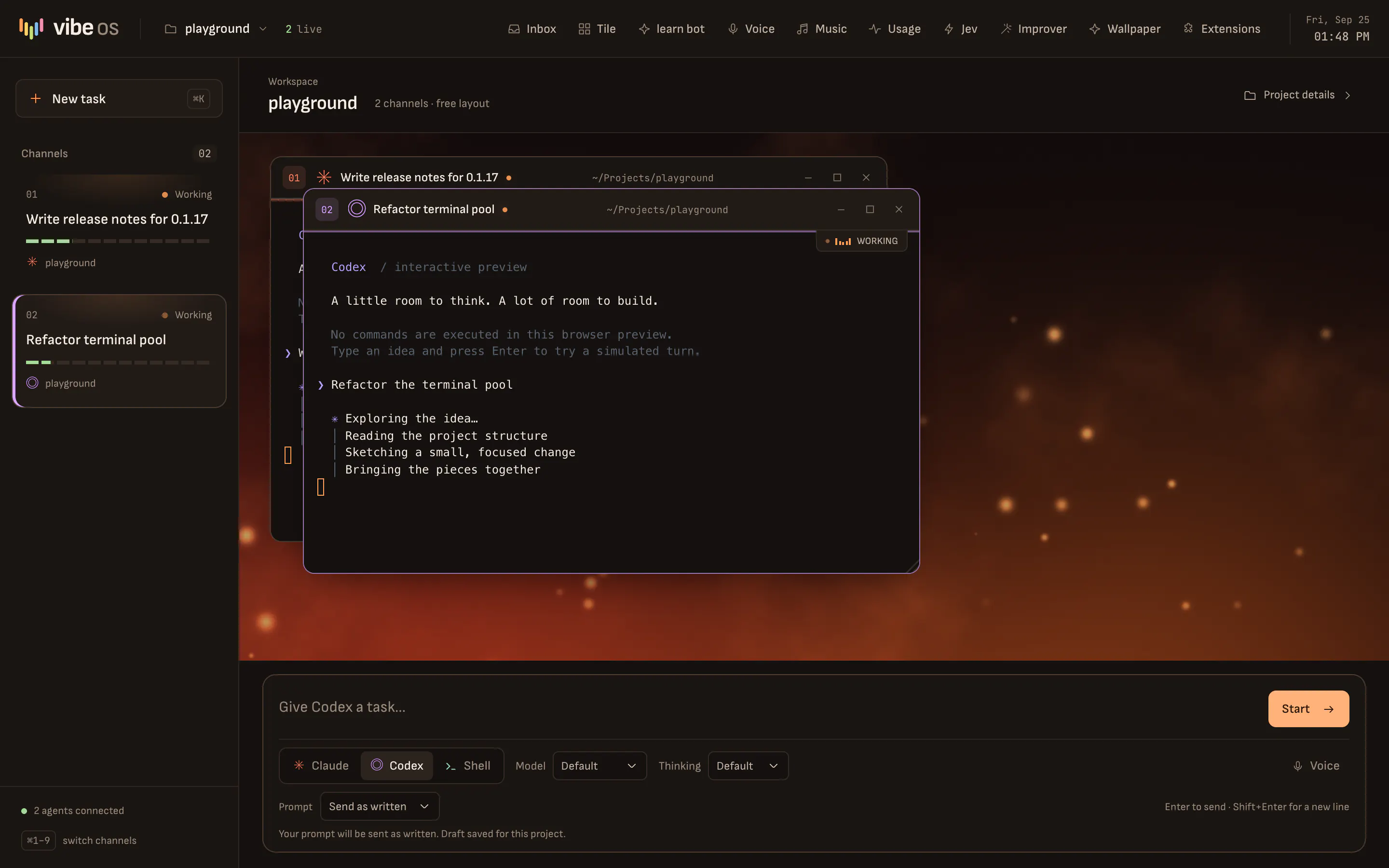
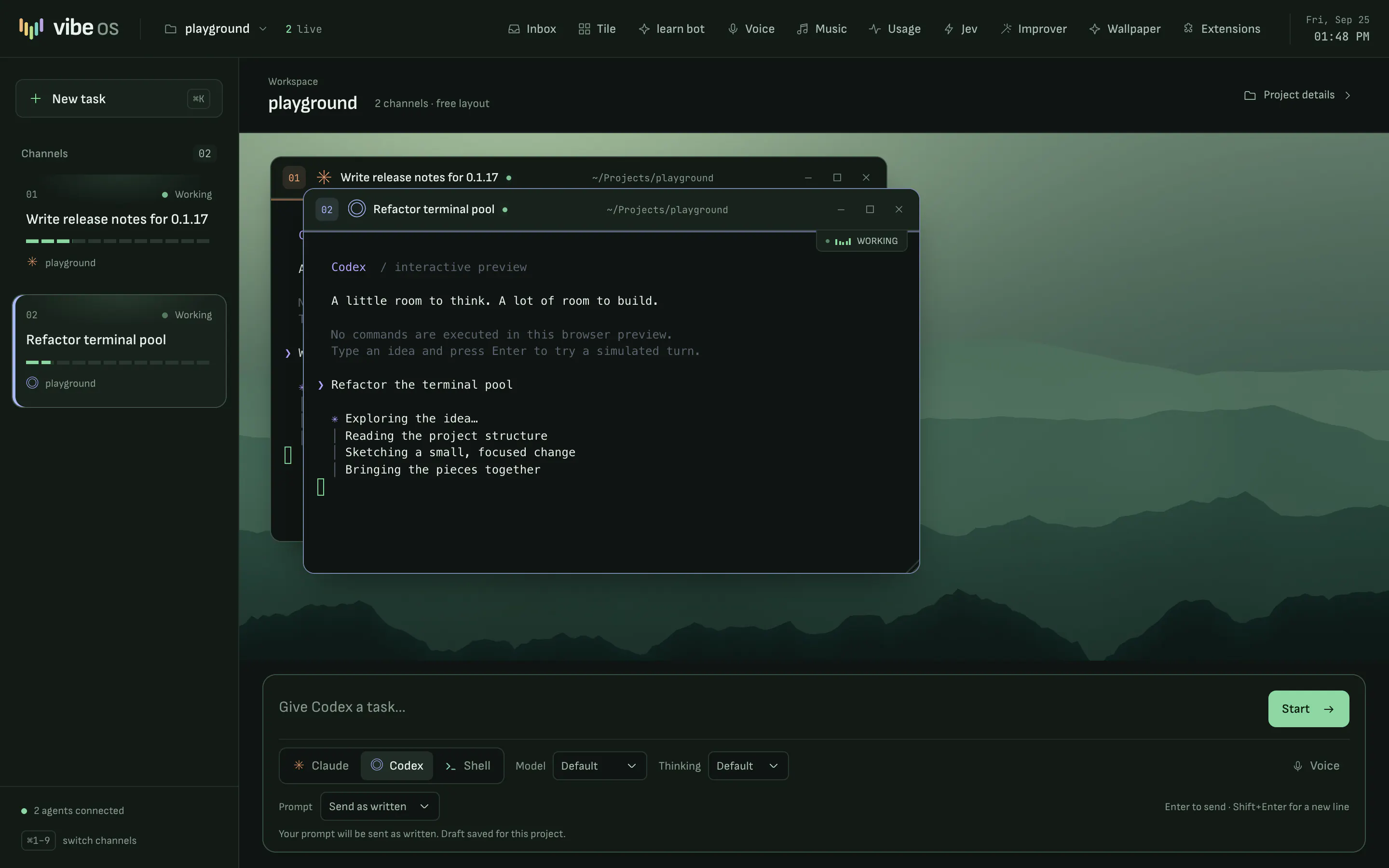
17 themes recolor the whole desk and every terminal. There are also effects, utilities like a focus timer, and 12 bundled 4K wallpapers. You can add your own theme as a JSON file.
learn bot
A patient teacher for any subject, with worked examples, practice and diagrams where they help. It runs on your Claude or Codex plan, or on an xAI key.
Screenshot to show
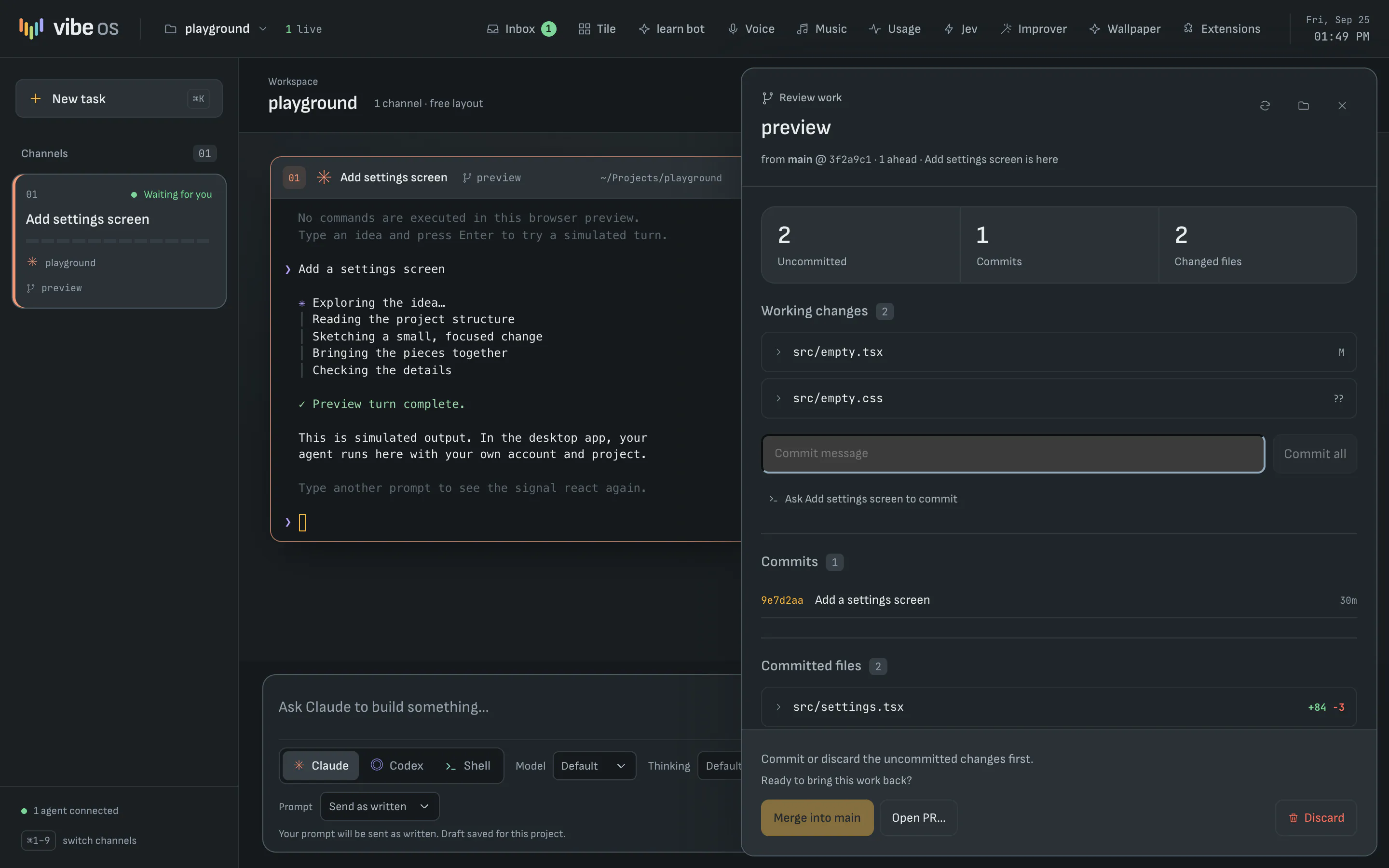
The Changes panel reviewing an agent's worktree branch: two uncommitted files, one commit and two changed files, with a commit box and buttons to merge into main, open a pull request or discard.
Each agent works on its own branch. Review what it changed, then commit, merge, open a pull request or discard it.
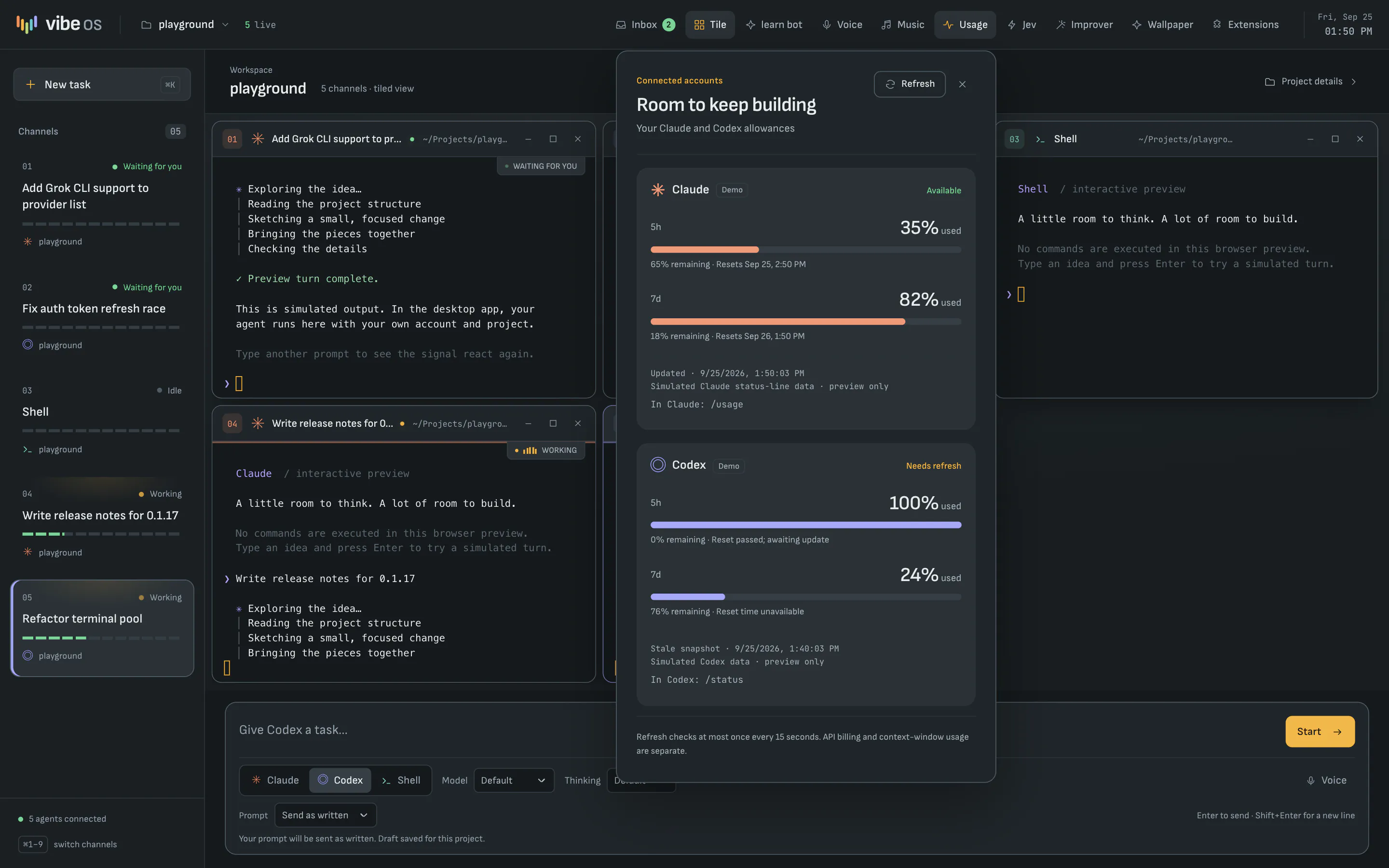
The Usage panel over a busy desk, showing how much of the Claude and Codex five-hour and weekly allowances is used and when each resets.
Your Claude and Codex allowances, with reset times and stale readings marked. The readings here are sample data.
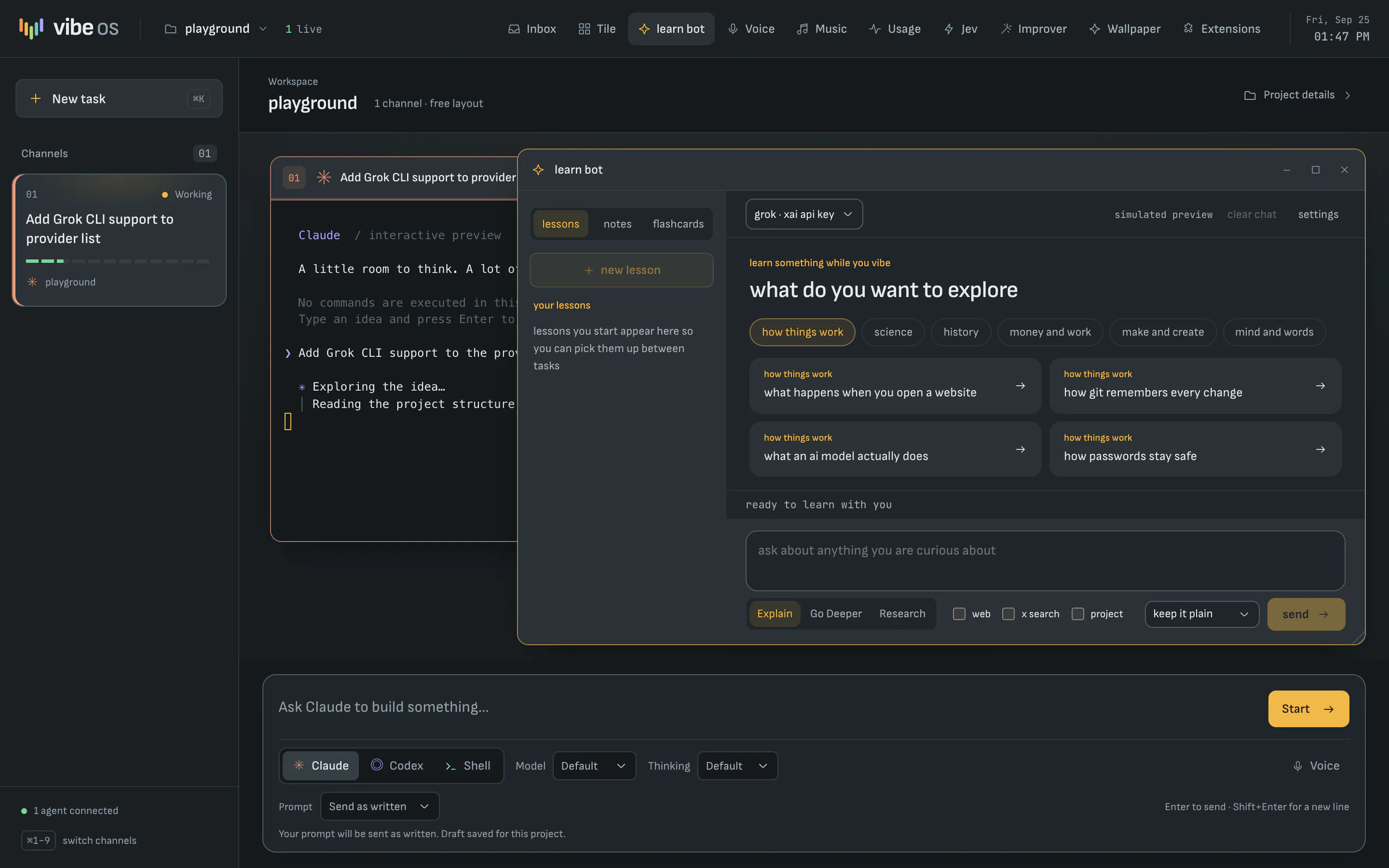
The learn bot window open on the desk beside an agent, asking what you want to explore, with topic chips and starter lessons.
learn bot opens as a window on the desk, next to your agents.
The Extensions store showing built-in themes such as Console, Charcoal, Midnight, Nightshade, Ember and Moss.
The Extensions store, with built-in themes, effects and utilities.

Getting started

Up and running in three steps

When Vibe OS launches, you'll need a Mac with Apple silicon, the Claude Code or Codex CLI signed in, and git for worktrees and the skill library.

  1. Buy and download

    Checkout opens at launch. You'll get a disk image for Macs with Apple silicon.

  2. Drag the app to Applications

    The app inside is called AgentDeck, which is the app's file name. It opens straight into Vibe OS.

  3. Add a project

    Press ⌘O and choose a folder. Pick Claude, Codex or Shell in the chat bar, type the task and press Enter.

Releases

Every version, newest first

The latest is 0.1.17, from . Vibe OS isn't on sale yet, so these are the builds being tested ahead of launch. New versions appear here as soon as they're published.

  1. 0.1.17Latest2 changes

    • Learn bot is its own window on the desk. Open it from the top bar and it sits beside your agent windows: drag, resize, minimize, maximize or tile it like any agent. It keeps a list of your lessons across projects (earlier chats are kept as lessons), opens on a discover view with topics from six subjects plus "surprise me", and ends lessons with "Explore next" questions you can send in one click without losing a half written message.
    • New Vibe OS logo. Five signal bars step down into a V, colored from the theme spectrum in the masthead and onboarding card. The same mark is now the favicon and the app icon, and the source files live in src/renderer/src/assets/brand/ (vibeos-mark.svg, vibeos-logo.svg).
  2. 0.1.163 changes
    • Learn bot now uses selective Mermaid diagrams, captioned images and comparison tables in lessons. Bundled fraction and triangle illustrations work offline; HTTPS images show a readable fallback when unavailable. Streaming diagrams wait until completion and keep their source accessible.
    • Chat bar steps aside in full screen. Maximizing an agent window fades the chat bar out and makes it inert, so neither clicks, Tab nor ⌘K can put keystrokes there; restoring the window fades it back with the draft intact.
    • Tiles slide into place. Clicking Tile slides every agent window from where it stood into its grid slot, one after another; turning it off slides them back to their saved positions. Reduced motion and Effects off keep the switch instant.
  3. 0.1.152 changes
    • learn bot replaces the general assistant with a patient teacher for any subject using clear explanations worked examples and optional practice with feedback the panel lesson modes starters and preview now focus on learning and existing settings and chats carry forward
    • More wallpapers. Six new bundled 4K scenes: Grove, Glacier, Lagoon, Solstice, Eclipse and Silk, with matching picker thumbnails and the same saved selections and slash commands.
  4. 0.1.146 changes
    • Smaller package. The app bundle now includes only out/main, out/preload and out/renderer. Packing all of out/ had pulled in the 597 MB browser-preview QA output (out/browser-qa), which tripled the download size.
    • Scrollback survives quit. Quitting saves each open window's terminal scrollback (up to 512 KB) to scrollback/<session>.txt beside agentdeck.json; session restore replays it above the new output between dim "Restored scrollback" and "End of restored scrollback" markers, resetting terminal modes (alternate screen, scroll region, mouse) the old process left on. Codex now launches with --no-alt-screen so its TUI output lands in scrollback at all.
    • Browser preview compatibility. Added capability checks with readable startup messages, in-memory project edits when storage is blocked, safe clipboard failure handling and optional voice feature detection. Added WebKit CSS prefixes and repeatable cross-browser preview checks.
    • Improver on typed Claude prompts. Prompts typed directly into a Claude terminal now run through the prompt improver: AgentDeck's UserPromptSubmit hook injects the rewrite as an <improved_prompt> block (the user's words win conflicts), alongside the skill suggestion. Slash commands and the chat bar's already-rewritten opening prompt are skipped; clear drafts (per Jev) and failed rewrites get the workflow guidance. That hook now waits up to 90s (Claude hook timeout 120s); every other hook event keeps its 3s limit.
    • Slow motion across Vibe OS. The desk powers up (masthead, rail, talkback), strips and tiled windows deal in one after another, maximize and restore settle, minimize sinks the window away, and lamps, halos and channel caps cross-fade between states. Popovers, the Inbox, the Projects and Changes drawers and the talkback's menus ease their rows in. Fixes the window, popover and rewrite-preview animations, which had stopped running when the channel-desk redesign dropped the --vibe-ease token. Reduced motion and Effects off still turn all of it off, and minimize stays instant there.
    • Four new themes. Darkroom (true-neutral greys with one red safelight accent), Bordeaux (wine surfaces and brass), Parchment (a warm cream light theme with sepia ink and terracotta) and Matcha (a pale sage light theme with forest-green ink). Each sets every surface token, a spectrum and a terminal palette; secondary text meets WCAG 4.5:1 on every surface.
  5. 0.1.1312 changes
    • Vibe OS lighting. Panels get a soft top light, fine grain and bevel; lamps, meters, the clock and active bar buttons glow, and the brand mark is a live five-bar meter. A --bloom level turns the glow down on light themes.
    • Prompt improver in terminals. agentdeck-improve "<draft>" rewrites a draft from any AgentDeck terminal with the app's improver, Jev gate and settings (the renderer now keeps main's copy of the improver settings current). Terminal and bar rewrites share one byte-identical instructions prefix, so Claude serves it from the prompt cache: on Opus 5.5, 2,540 of about 3,120 input tokens per rewrite were cache reads (0 with DISABLE_PROMPT_CACHING=1). --usage prints the counts.
    • learn bot on your Claude and ChatGPT plans. Pick Claude or Codex in the learn bot toolbar to answer through the signed-in claude or codex CLI instead of an xAI key. learn bot never reads their credentials, refuses API-key logins so nothing is billed per token, and runs each turn without tools, hooks, MCP servers or saved sessions. See docs/learnbot.md.
    • Login removed for now. Vibe OS opens straight to the desk again with no sign-in screen, and project memory is back to the local SQLite database. Leftover cloud upload triggers are dropped from memory.db on launch. The standalone auth-service/ is untouched.
    • learn bot. An assistant panel with streamed chat, optional web and X search, linked sources, per-project conversation history, and an explicit handoff into the task composer. The xAI API key stays encrypted in the main process and research uses the existing desk styling.
    • Agent status. Claude tool activity moves the channel back to working after a permission prompt.
    • Agents are named after their task. The first prompt that says what to do names the session ("Fix null pointer exception in user service"), with greetings, politeness and trailing clauses trimmed. The name shows in the channel rail, window titles, Projects drawer, Inbox, Jev panel and notifications, and on a task: line in the roster; a rename still wins, and Reset returns to it.
    • Vibe OS redesigned as a channel desk. The macOS imitation (traffic lights, dock, glass over a photo) gives way to a mixing-desk layout. A channel rail on the left shows every agent as a strip with its number (⌘1–9 now jumps to that channel), a status lamp and a segmented level meter driven by the terminal's real output. Windows carry the channel number in their provider's colour and plain minimise / maximise / close buttons; a waiting agent's window border turns green, one that needs you turns red. The chat bar is now a full-width talkback strip under the desk, and the project name is the masthead's title. New default Console theme (slate, amber talkback, green-to-red meters) and Desk surface; profiles still on the previous defaults (Charcoal, Aurora) move to them once, and both remain available. Sofia Sans, Sofia Sans Extra Condensed and JetBrains Mono are bundled; terminals switch to JetBrains Mono once it has loaded.
    • Inbox. A top-bar Inbox (⌘J) lists every agent, in every project, that finished a turn or needs you: its last prompt and reply, how long it has waited, its branch, and Jev's triage when that is on. Open jumps to the window (switching project); Mark seen clears it without replying. ⌘⇧J walks through waiting agents. The dock badge now counts the same thing, and notifications include the start of the agent's reply.
    • Worktree review and merge. Click a window's branch chip, an Inbox row's Review changes, or a worktree in the Projects drawer (closed ones are listed too) to open Changes: uncommitted files, commits and changed files with inline diffs. Commit everything, ask the agent to commit, merge into the branch it came from (local, --no-ff; refused while either side has uncommitted work, and a conflicting merge is aborted so the project folder is never left half merged), open a GitHub pull request with gh after a confirmation, or discard it. Closing the last agent in a worktree with changes offers Review changes…. The base branch is recorded in the branch's git config when the worktree is created, and new worktree names never reuse an existing branch.
    • Reliability. agentdeck.json is written atomically, and a file that cannot be parsed is kept as agentdeck.json.corrupt-<time> instead of being replaced by an empty project list. Stopping an agent mid-turn (⌘W, the close light, the drawer) asks first. A Codex window opened with a prompt shows as working at once. A terminal opened while its agent is printing no longer shows the same output twice. npm test runs every suite.
    • Voice. Talk to OpenAI's gpt-realtime-2.1 from Vibe OS: a Voice panel in the top bar (transcript, mute, typed input, voice and reasoning choices, cost estimate) and a Voice chip in the chat bar with a live caption. Ask it to draft a task and it fills the chat bar for Claude or Codex; it never launches anything. WebRTC with the SDP exchanged by the main process, so the OpenAI key (saved with safeStorage, or OPENAI_API_KEY) never reaches the renderer. Idle conversations end after 5 minutes. macOS builds gain the microphone entitlement and usage description.
  6. 0.1.125 changes
    • A redesigned Vibe OS desktop. Glass windows with larger radii, layered shadows and an accent glow on the active window; a taller menu bar with its tools grouped in one recessed toolbar; a frosted dock whose active app carries an agent-coloured underline; a chat bar with a luminous accent-to-spectrum edge that brightens while you type; a larger empty-desktop hero; and a soft vignette that gives every wallpaper depth. Light themes use denser glass.
    • One component language. Every select shares one field style and chevron; bar menus share one header, surface and entrance; the Jev, Usage, project memory and rewrite-preview panels gain labelled sections, real fields and a single primary action. The Jev menu has its own icon.
    • Accessibility. Secondary text in the Midnight, Nightshade, Daylight, Tidal, Blueprint and Copper dusk themes now meets WCAG 4.5:1 on every surface; nothing in Vibe OS is set below 9px; the focused chat bar changes clearly; forced-colours mode keeps selection visible; all motion honours Reduce Motion and Effects off.
    • Fixes. Error messages appear under the menu bar instead of over the chat bar; the Project memory toggle shows its chevron; drawer launch buttons show their agent marks; controls in bar popovers are excluded from the window drag region.
    • Model chooser. The chat bar can pick the model for the next Claude or Codex window from the models its CLI offers; Default keeps the agent's own setting.
  7. 0.1.115 changes
    • Jev reflexes for agents. Agents in a project with the new Let agents hand records to Jev switch (off by default) can run agentdeck-jev to hand a JSON decision form and a JSONL/CSV queue to Jev through the app: --dry-run validates and estimates cost without a request, the default 20-row sample runs before --all (up to 500 rows, four parallel requests), per-question review floors flag uncertain rows, and per-row answers, usage and errors are written to results.jsonl and summary.json beside the records. The key never leaves the app; the project switch and monthly budget apply.
    • Two-stage skill suggestion. Following TypeSafe's skill-suggestion cookbook, one request ranks a wider local shortlist with three "is a skill warranted" gate questions, then a second request reranks the top three with SKILL.md excerpts and independent fit checks. Agents receive a <skill_relevance> note, marked "possibly relevant" in the review band, or an explicit "no skill appears relevant" line.
    • Confidence bands and urgency. Project suggestions and completion triage use act / review / none bands: confident suggestions are offered, review-band ones are labelled tentative, low confidence falls back. Routes list runners-up from the probability distribution; completions carry a Score-based urgency estimate. Every question and threshold now lives in src/main/jev-forms.ts.
    • Client aligned with the documented API. Score questions and Noul criteria are supported; requests are validated against documented limits before sending and answers on return; 401 and 422 never retry; 429/529 retry with bounded exponential backoff; billed tokens and latency are recorded.
    • Test connection and usage. The Jev panel can send one tiny probe and report latency, tokens and cost, and shows requests, errors, uncertain decisions, tokens and average latency since launch. Recent decisions show their band, latency and tokens. Older settings files load without the new switch.
  8. 0.1.107 changes
    • Add optional Jev decisions for skill and memory selection, prompt-rewrite gating, project/folder suggestions and completion triage, with OS-encrypted API keys, per-project switches, budget limits and local fallbacks.
    • Save multiline composer drafts and image references per project; add send-as-written, improve-and-send, and editable rewrite preview with cached retries.
    • Rename agent windows independently of generated titles and preserve names through session restore.
    • Browse, search, add and forget project memory from the Projects drawer, with author/time metadata and live refresh.
    • Restore the last Vibe OS project, open agents and selected window on startup, reusing saved conversations and worktrees; retain window geometry, stacking and minimized/maximized state, with graceful fallback for unavailable entries.
    • Added a Vibe OS Usage panel for Claude/Codex allowances, reset times and stale/unavailable states; Codex live app-server quotas and Claude status-line capture with labeled local-cache fallbacks.
    • Notarized macOS releases. npm run release:mac builds a Developer ID signed, hardened-runtime, notarized and stapled app, DMG and zip, refusing to start without a signing identity and notarization credentials, and verifies the result with codesign, spctl and stapler. Credentials come from electron-builder's CSC_* / APPLE_* environment variables (see README → Signed releases). Entitlements live in build/entitlements.mac*.plist; a new afterAllArtifactBuild hook notarizes and staples the DMG when credentials are supplied. This local build is ad-hoc signed; a notarized public release is pending the Developer ID certificate and notarization credentials. npm run package keeps its ad-hoc fallback for local testing only, and npm run verify:mac reports on any build.
  9. 0.1.94 changes
    • A polished Vibe OS desktop. The menu bar, windows, dock, chat bar, welcome card and bar menus now share one system: a single easing curve, surface tint, hairline and layered shadow, with a 7 / 10 / 16px radius scale and 11px labels. Bar controls share a 30px height and group their tools beside a tabular clock; the live count is a quiet pill. Windows trade heavy glass for a near-solid surface with a crisp border, a two-layer shadow and an accent-tinted active state; titlebars are 36px with smaller traffic lights and the thinking badge beside the path. The dock is a pill, the chat bar has a round send button, a segmented agent picker and an outlined Thinking select, and the welcome card renders ⌘K as a key cap. Labels collapse to icons under 1100px and the logo stays visible on narrow windows.
    • Quieter Projects drawer. A solid surface with a slide-and-fade transition, animated project disclosures, and less chrome around folders, sessions and launchers. The closed drawer and collapsed projects are inert for assistive technology.
    • Prompt improver follows the Opus 5.5 prompting guide. Rewrites hand over the whole task in one message in the user's voice: goal, constraints, what done looks like (from the draft only), then when to keep going and when to stop, or a one-line plan and short recap for pair work. They drop "think hard"-style directives, add "Answer directly." to quick questions, ask for a short explanation instead of reproduced reasoning, use a merge-blocking format for reviews, mark unconfirmed research, quote problems in long-document checks, ask for finished files rather than outlines, and turn a vague "not generic" design request into named styles to avoid. Large or long-running work also gets a TASKS.md checklist, subagents with evidence checks, and a closing report under Blocked on me, Changed and Found. The skip-rewrite guidance carries the same rules.
    • Prompt improver looks at existing examples. When a draft involves designing anything (interfaces, components, layouts, styles, APIs, schemas, documents), the rewritten prompt now tells the executing agent to study existing examples first and use them as reference.
  10. 0.1.81 change
    • Vibe OS is now the only desktop layout, including on upgrades with older saved layout preferences. Removed the layout picker, Classic/Mirrored/Focus/Bottom deck/Compact chrome, tabs/grid views, and their menu shortcuts. Themes, wallpapers and Auto-organize remain available.
  11. 0.1.73 changes
    • Paste images into the Vibe OS chat bar. ⌘V with an image on the clipboard attaches it to the next window's opening message, with thumbnails you can remove. Codex gets the files through -i; Claude's prompt names them for the Read tool. Images are kept under the app's data folder and pruned after 30 days. npm run test:attachments covers storage and the launch handoff.
    • Bounded terminal memory. Closing Vibe OS windows now releases terminal buffers and DOM; display-monitor listeners and exited PTY resources are cleaned up. Fast terminal output uses backpressure to bound pending data without reducing the 10,000-line scrollback. Added repeatable Electron memory profiles and lifecycle/flow-control regression tests.
    • Terminal input box stays put after switching projects. A window that comes back after you worked in another project (or another tab) kept its browser viewport at the top while the terminal still showed the bottom, so the first scroll-down jumped to the top of the scrollback and hid the agent's input box. Most visible with Auto-organize, where returning windows are never resized. The viewport is now restored to the buffer position when a terminal is re-attached.
  12. 0.1.62 changes
    • Documentation-informed prompts. The prompt improver now directs agents doing domain-specific technical work to consult current official documentation, standards and best-practice guidance online before and during implementation, then apply it to the work and verification. Preserves the draft's scope and explicit constraints, including offline requests.
    • UI refinements. More consistent typography, spacing, controls, menus and focus states across the app. Vibe OS puts the prompt above its agent options and improves wallpaper contrast, welcome text readability and layouts on narrow windows.
  13. 0.1.54 changes
    • Vibe OS auto-organize. A remembered top-bar toggle tiles visible agent windows and adjusts when sessions open, close, minimise, restore or the desktop resizes. Keeps the dock clear, scrolls crowded layouts, and preserves manual positions when turned off.
    • Agent sharing commands. New agentdeck-share CLI for notes, findings, handoffs and blockers, with automatic attribution, multiline stdin, optional teammate addressing, recent-note search and roster access. Uses the existing append-only project notes and Claude prompt hooks; addressed notes remain project-visible and Codex can check them explicitly.
    • Vibe OS full permissions. Claude and Codex now launch with permission checks bypassed by default in Vibe OS, including resumed sessions, shortcuts, Projects launchers and splits. Codex also disables its command sandbox; shells retain normal login-shell permissions.
    • Prompt improver settings. The Vibe OS bar's new Improver menu chooses which agent rewrites chat-bar prompts (the window's own agent, Claude or Codex), the effort it uses and, for a fixed agent, the model name or alias to run with. Choices are remembered; Default and an empty model keep each CLI's own configuration. The chat bar names the rewriting agent in its status line.
  14. 0.1.44 changes
    • Vibe OS thinking levels. Choose thinking effort for each new Claude or Codex window from the chat bar, with separate remembered preferences, locally detected choices, and the launch level shown in its title bar. Default preserves the CLI's own setting.
    • Vibe OS prompt improvement. Claude and Codex prompts are rewritten by the selected agent in the background, then automatically sent to a new terminal. Progress appears beneath the chat bar; failed rewrites keep the draft with retry and Send original options. Shell commands are unchanged.
    • Projects in Vibe OS. The project name in the bar now opens a Projects drawer with everything the sidebar offers: switch, add or remove projects, project context, launch-folder picker, branch, the list of windows (click to bring one forward), launchers and the worktree toggle. The chat bar learned /project name to switch and /project to open the drawer.
    • Fixed: the Vibe OS chat bar's prompt never reached Claude when the project had connected folders, because Claude's variadic --add-dir swallowed it as another directory. The prompt is now passed after a -- separator.
  15. 0.1.33 changes
    • Vibe OS. A new layout look that turns the app into a desktop: sessions become draggable, resizable windows on a wallpaper, and a chat bar at the bottom centre spawns Claude, Codex or a shell with the text you type as its opening prompt (or command). Slash commands (/claude, /codex, /shell, /wallpaper), a dock for minimised windows, ⌘K to reach the bar, six bundled 4K scenes and eight theme-aware tones as wallpapers, plus your own picture. Positions and wallpaper are remembered.
    • Sessions can now be started with an opening prompt (SpawnOptions.prompt): Claude and Codex get it on their command line, a shell has it typed in.
    • Close any pane. Split and grid cells now have their own close button, so a session added into another tab's view can be closed on its own.
  16. 0.1.22 changes
    • Deck buddy, rebuilt. The pixel companion now reacts to your agents: it cheers when a turn completes, hops when an agent needs you, and jumps to that session when clicked. Hover it for a status bubble listing the project's agents and completed turns. Its eyes follow the pointer, its colour follows the provider it is watching, and you can drag it to any corner. Reduced motion is respected. Try it from the extension store.
    • Add an agent to the current view. The toolbar's New session menu now offers "Add to this view" (a split pane beside the agents already open) alongside "Open in a new tab". In the sidebar, ⌥-click a launcher to add it to the current view.
  17. 0.1.11 change
    • Initial public build with the extension store, effects, utilities, and project context.

Pricing

One price. Pay once.

Vibe OS will cost $200, paid once. There's no subscription, no tiers and no add-ons. Your agents keep running on the Claude or ChatGPT plan you already have.

Coming soon

Vibe OS for Mac

$200 one-time purchase

The whole desk, with nothing held back for a higher tier.

  • Unlimited Claude, Codex and shell channels
  • Prompt rewrites, shared memory, roster and notes
  • Worktrees and the Changes panel
  • Usage, session restore, themes, wallpapers and learn bot
  • No subscription and no renewal fee

Not on sale yet

Checkout isn't open yet, and there's no payment or sign-up on this site.

Questions

How much does Vibe OS cost?

Vibe OS will be a one-time purchase of $200, with no subscription and no tiers. It isn't on sale yet. Your agents run on the Claude or ChatGPT plan you already pay for. See Pricing.

When can I get it?

Vibe OS isn't released yet. Checkout and the download open together at launch.

Which coding agents does it work with?

Claude Code and Codex, through the CLIs you already have installed and signed in, plus a plain shell for everything else. You need at least one of the two CLIs.

Do I need an API key?

Not for the desk. Claude Code and Codex run through their own CLIs with your existing sign-in, and prompt rewrites use that same sign-in. A few optional extras (Voice, Jev and learn bot's xAI option) use a key of your own and are billed to it. They stay off until you set them up.

Does it run on Intel Macs, Windows or Linux?

No. Vibe OS is built only for Macs with Apple silicon (M1 or later). There is no Intel, Windows or Linux version.

Does my code or history leave my Mac?

Your agents talk to Anthropic or OpenAI exactly as they do in your terminal. Project memory, the roster and shared notes are stored locally and never leave your machine. Optional features send data to their provider only while you use them.

Will it change my Claude or Codex settings?

No. Status hooks are passed to each session when it starts, your own Codex notify command is kept and chained, and nothing is written into ~/.claude or ~/.codex.

Why is the app called AgentDeck?

AgentDeck is the app's file name, and Vibe OS is the desk it opens into. The app in your Applications folder will use the AgentDeck name.